Cross-provider coordination for coding agents

Your agents collide. File a FlightPlan.

I wanted to run multiple coding agents without them stepping on each other. FlightPlan gives each agent the same preflight picture, lets them coordinate while plans are still cheap to change, and leaves behind what changed and why for whichever agent comes next.

uvx getflightplan install
Real incident · Jun 19 17.949 seconds apart
Claude session A · 616d6e7d Add the waiting-room “presence_long” metric and category. central/models/event_registry.py
Claude session B · b0498acc Remove the metric-less category inference. central/models/event_registry.py
Warn · shared path · before Session B edited
“Before I go further—the intent registry flagged a warn-level overlap I need to raise with you first.”
Caught during planning—both tasks completed. develop · RavenEye
Sent · 2 summaries · 2 path globs Not sent · code · diffs · prompts

Real session, typeset for clarity. Exact IDs preserved.

Across sessions. Across people. Across providers. Across time. One shared picture.

02+ agents

What FlightPlan sees

The incident becomes a shared picture.

The receipt above is one real moment. The flight board is the continuing system view: what each agent filed, where plans overlap, and where work can proceed safely. It advises; it never locks.

Flight board · develop 3 agents in flight
A01 you
Claude A
Add presence-long alerts event_detector.py · event_registry.py
active
WARN · shared path A01 ↔ A02 · event_registry.py · coordinate before edit
A02 you
Claude B
Remove metric-less inference inspection_config_write_service.py · event_registry.py
active
A03 sam
local
Export zone engagement api/exports/* · schemas/engagement.py
clear
Advisory, never locking. Updated as agents work

Real collision, shown in the broader coordination view.

Exhaust, not effort

A byproduct of agent work. Not another process to maintain.

No board to groom. No tags to keep current. No status ritual. FlightPlan attaches coordination to the work agents already do.

01

File the work

The agent declares what it is about to touch before the first edit.

02

See what's in flight

Active and uncommitted work surfaces while redirection is still cheap.

03

Coordinate

The agent narrows, sequences, or continues safely. FlightPlan never locks.

04

Debrief

What changed, what failed, and why remain for whichever agent comes next.

No upkeep

Install it once per repo. From there, agents maintain the shared picture through calls made as part of their normal work.

Flight log · real sessions

Warned before any edit.

These are real FlightPlan moments from coding sessions—not a staged workflow or an invented dashboard.

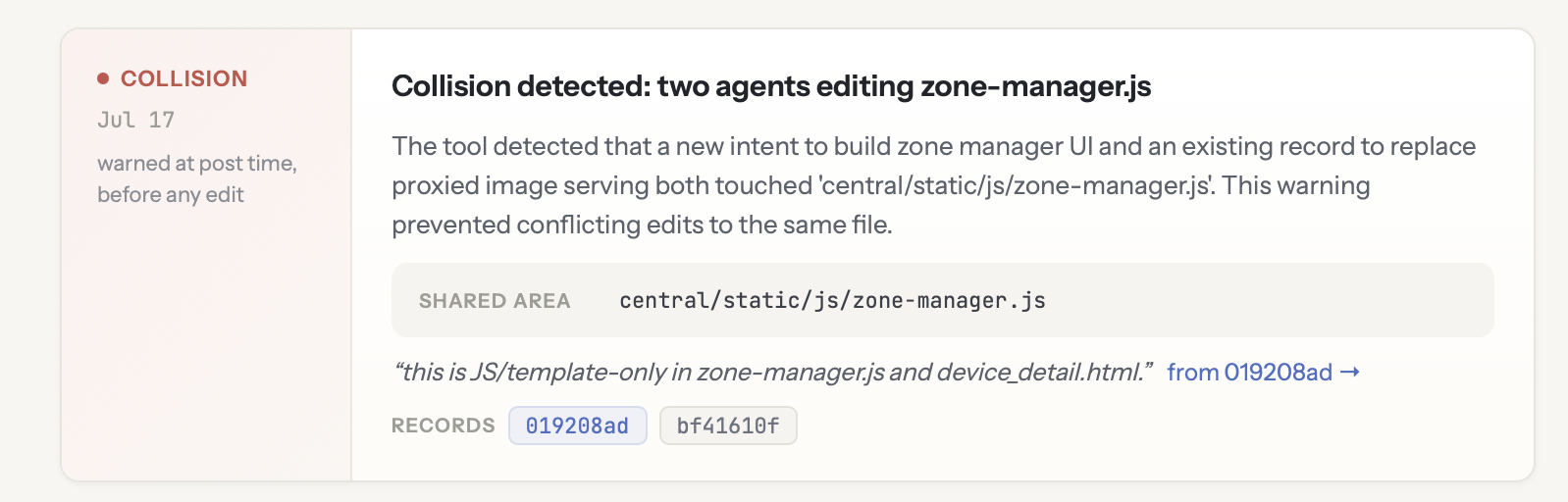
Collision

Two agents headed for the same file.

Surfaced at post time, while both plans were still cheap to change.

A FlightPlan collision receipt showing two agents editing zone-manager.js and a warning before any edit
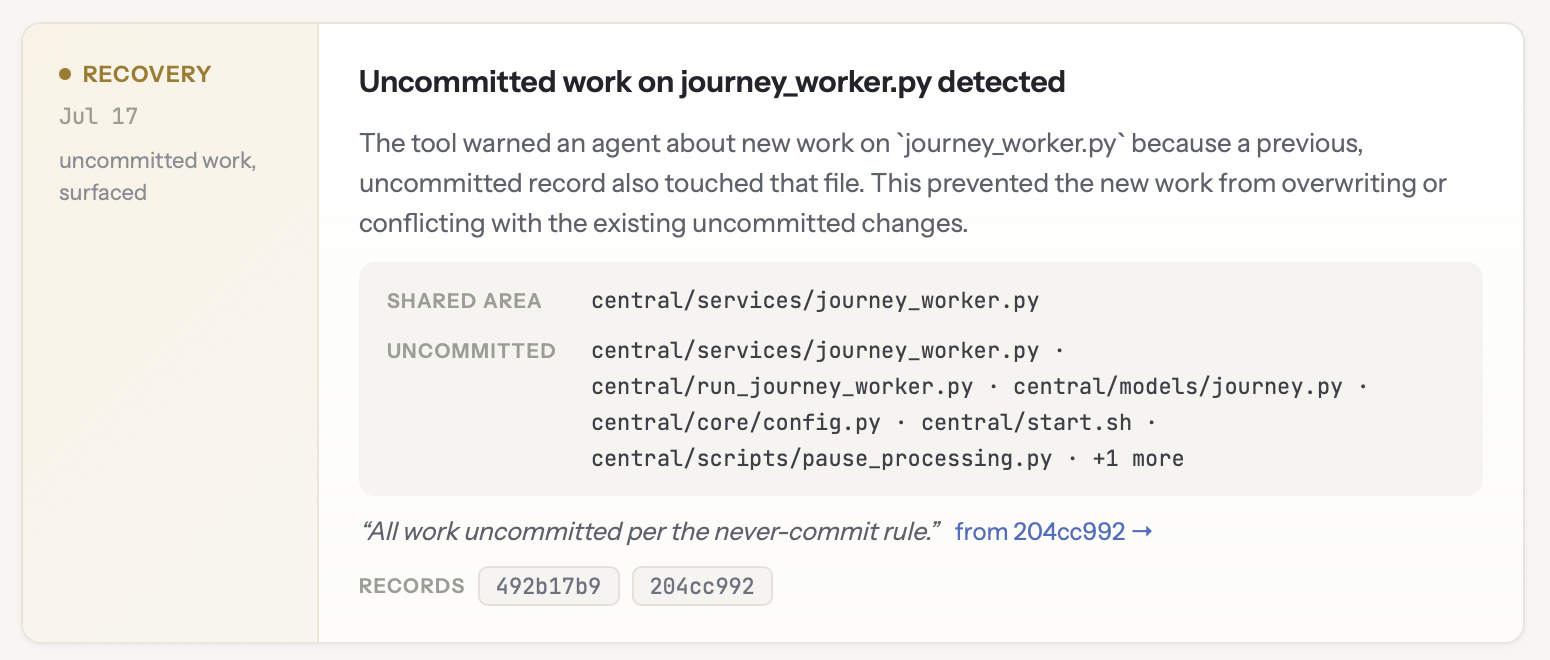
Recovery

Work Git couldn't see.

An uncommitted change surfaced before another agent overwrote it.

A FlightPlan recovery receipt showing uncommitted work on journey_worker.py surfaced before overwrite
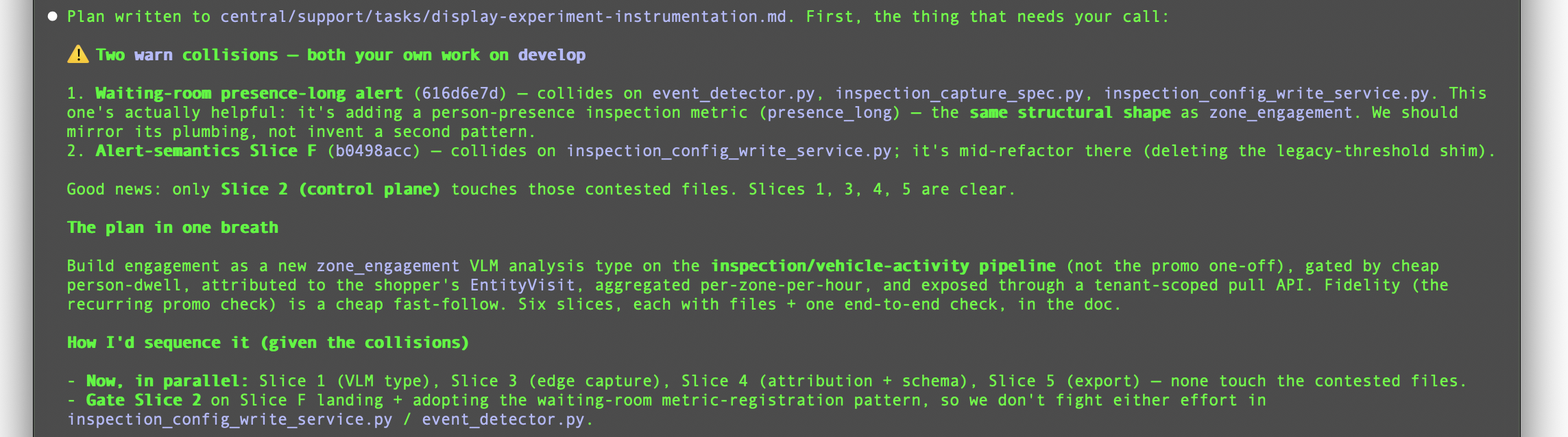
Plan around it
“Four slices can proceed now. Gate one.”

The warning preserved velocity instead of blocking the work.

A coding agent plans around two FlightPlan warnings, allowing four clear slices to proceed while gating one contested slice

Durable context · compounding value

Git remembered the change. FlightPlan remembered the decision.

A later agent could see that LangChain was removed in Git. FlightPlan supplied the missing why: the only known consumer had been audited, dead imports came from an older removal, and generated metadata was deliberately left for the next build.

The record belongs to you—not one session, provider, runtime, model, or memory file.

Context served Past outcome · relevant now

Why was LangChain support removed?

  • The only known consumer was checked and did not call the method.
  • One unused factory pulled three dependency trees into every install.
  • Dead message imports were residue from the earlier kor removal.
  • Generated package metadata was intentionally left to regenerate.

The product

The tower has windows.

Read-only views make the work and FlightPlan's value visible—without turning people into productivity numbers.

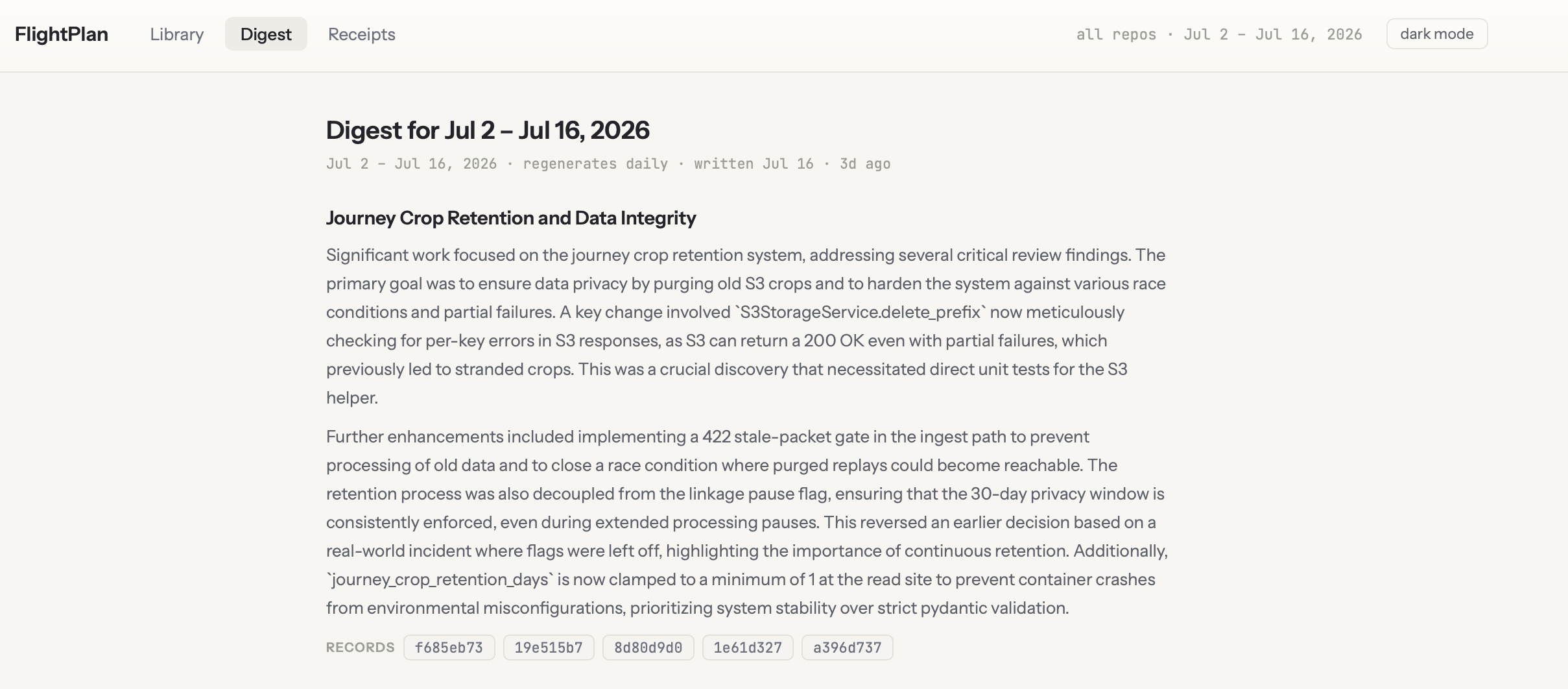
Digest

A week away, in prose.

VIEW 03
The FlightPlan digest showing a narrative summary of recent coding-agent work with links to source records

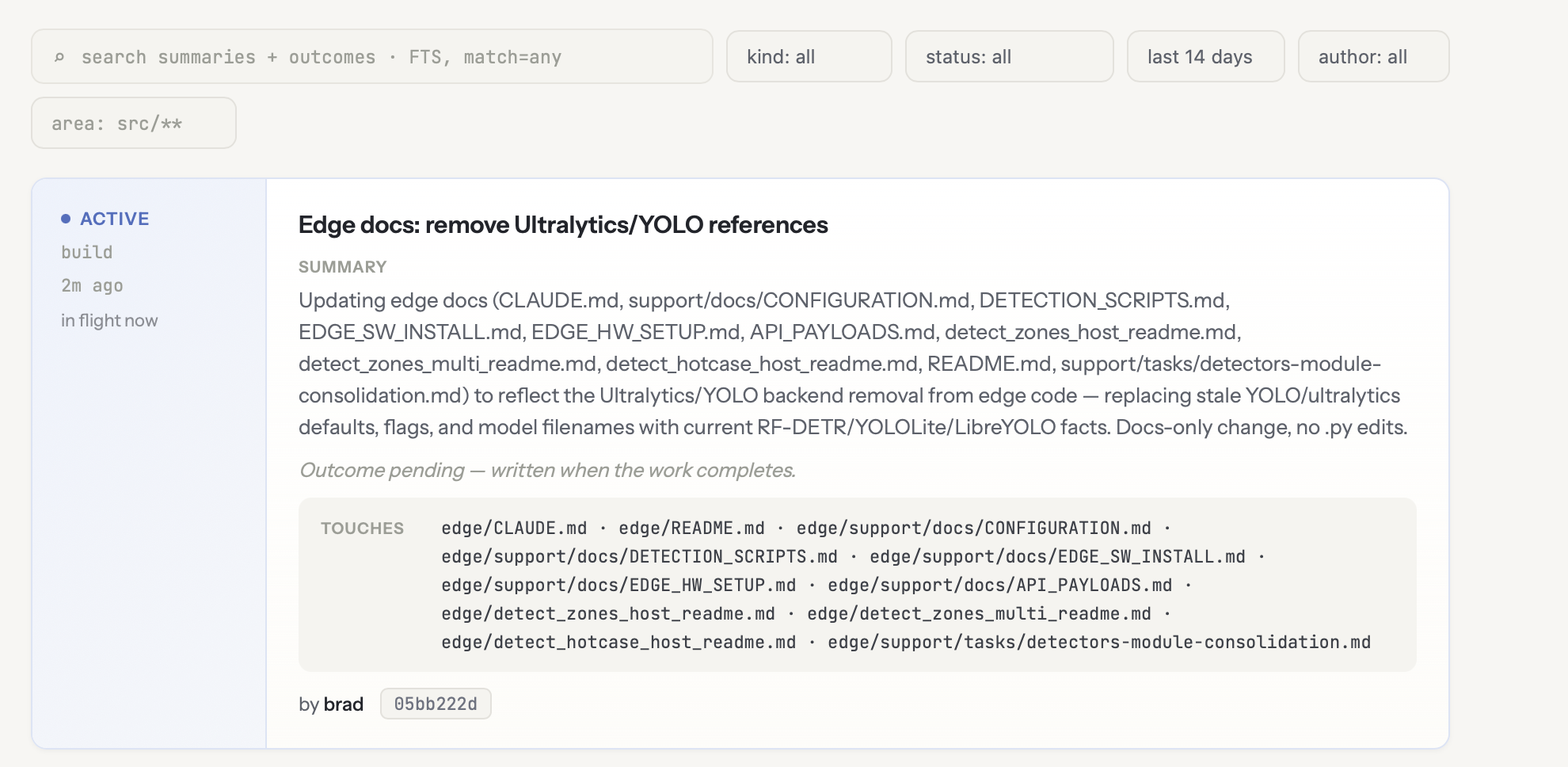
Library

What's in flight and what happened.

VIEW 01
The FlightPlan library showing searchable active and completed agent work

Receipts

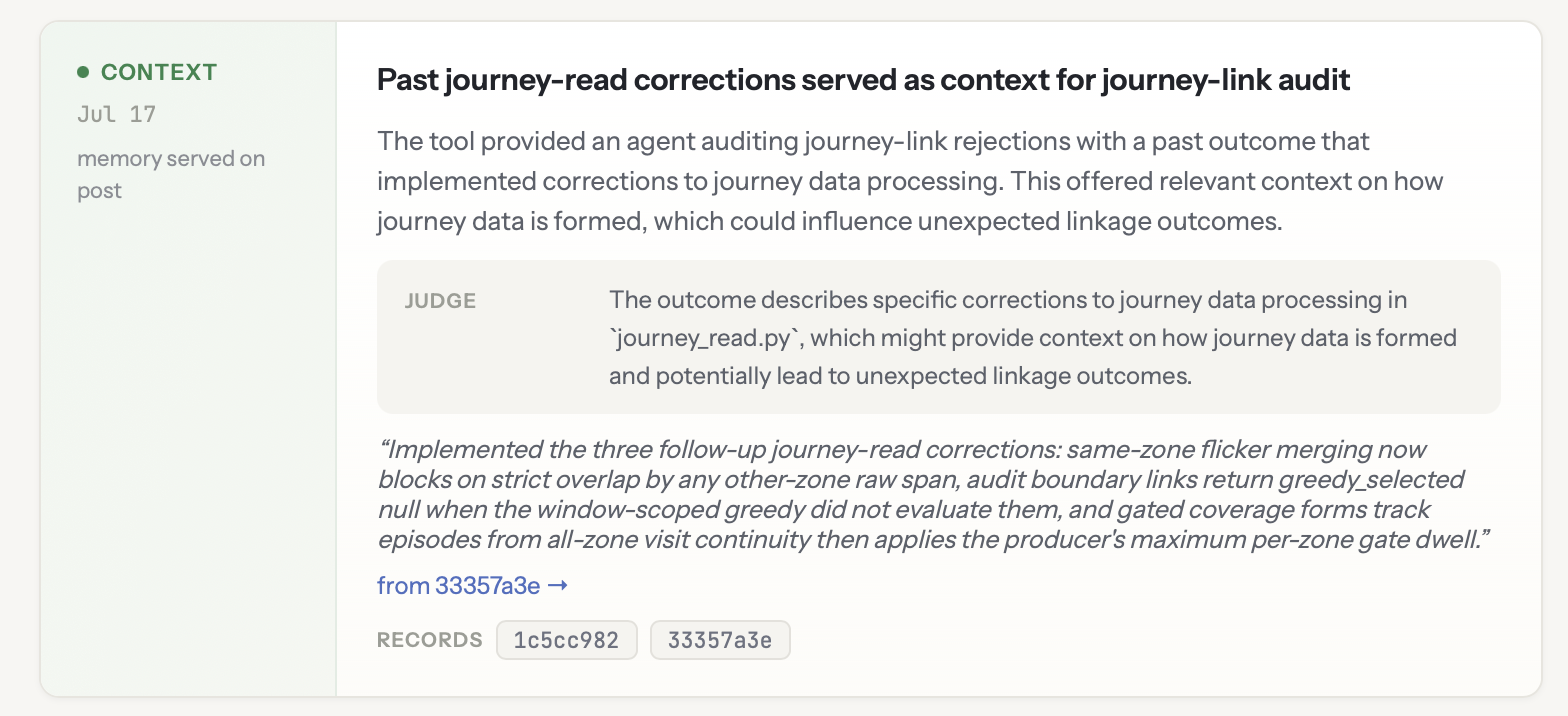
Proof that FlightPlan helped.

VIEW 02
A FlightPlan context receipt showing a relevant past outcome served to a coding agent A FlightPlan collision receipt showing two overlapping agent tasks

What leaves your machine

This is the whole request.

Your agent files a plan. That plan is what goes to the registry—the prose it wrote, and the paths it expects to touch. Nothing reads your files to build it.

Be clear-eyed about the prose: your agent writes it, so it can name files, functions, and design choices. That description is the product—it is what the next agent reads.

Never sent

  • Source code. No file bodies, no diffs, no patches.
  • Your prompts, or your conversation with the agent.
  • Environment variables, secrets, or anything from .env.
  • Your name or your email. The author comes from your key, server side.
POST /intents post_intent
{
  "repo": "raveneye",
  "kind": "build",
  "branch": "develop",
  "session": "616d6e7dc41f",
  "summary": "Add the waiting-room presence_long
    metric and category.",
  "touches": [
    "central/models/event_registry.py",
    "central/services/event_detector.py"
  ]
}
session is a random id for this agent process. It is not you, and it is new every run. touches are rewritten to repo-relative form before they are sent, so your home directory never leaves.

The client is open source. Read it, or read the data-flow doc, which covers login and registration too.

File your first plan

One command per repo.

Connect through MCP so Claude Code, Codex, and MCP-capable agent runtimes can share one coordination record—then let that record maintain itself. The first time on a machine, a browser login connects your account.

More commands · run with uvx getflightplan …

install --agent both Codex too, not just Claude Code
login --headless no browser on this machine
register link this repo to the registry later
logout remove this machine's credential
uninstall remove everything install wrote
terminal · your repo flightplan / install
$ uvx getflightplan install
→ agent instructions installed
$ uvx getflightplan login
→ approved in browser · credential stored
→ MCP connected as flightplan
→ repo verified · ready to file

Install is per repo. Login is once per machine.